同学们好,我是青哲。一个一边带娃一边深耕AI实战应用的宝妈创业者,只讲真实案例与可落地方法,拒绝割韭菜!点击下方关注我,每天分享最新AI玩法和AI资讯,咱们一起在家也能搞事业!
同学们,今天必须分享一个我私藏的宝藏工具!
做AI视频这么久,最让我头疼的就是积分不够用。那些付费工具,生成几次就要充钱,一个月下来花好几百,心疼死了。
直到我发现了lmarena这个平台——完全免费,无限次数用!
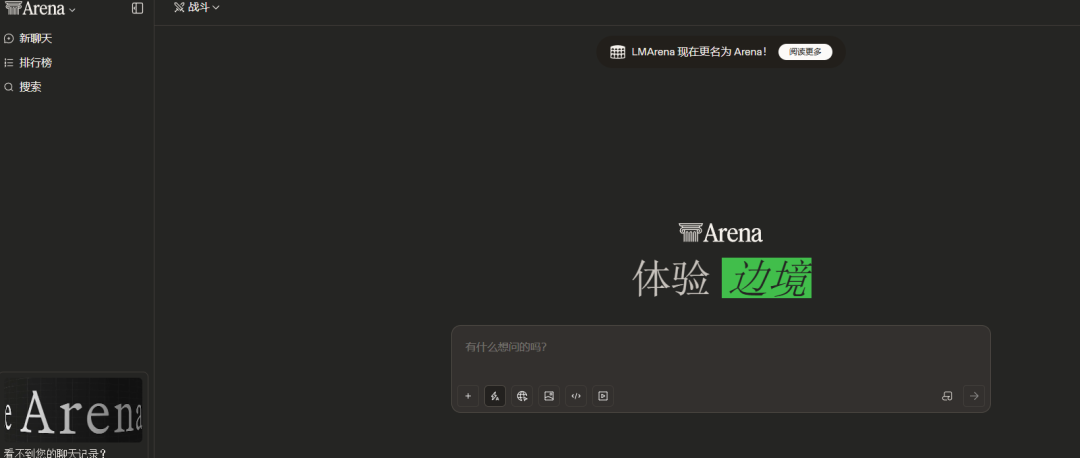
对,你没听错,无限次数!想生成多少次就生成多少次,直到你满意为止。

END
这个工具能干什么?
简单说就是:免费生成超清图片和视频
可以用Nano Banana Pro生成超清图片,没有水印
可以用sora2和voe3.1生成视频
可以无限次数生成,不满意就重新来
可以保持人物一致,做分镜特别好用
最关键的是:完全免费,不用充值!
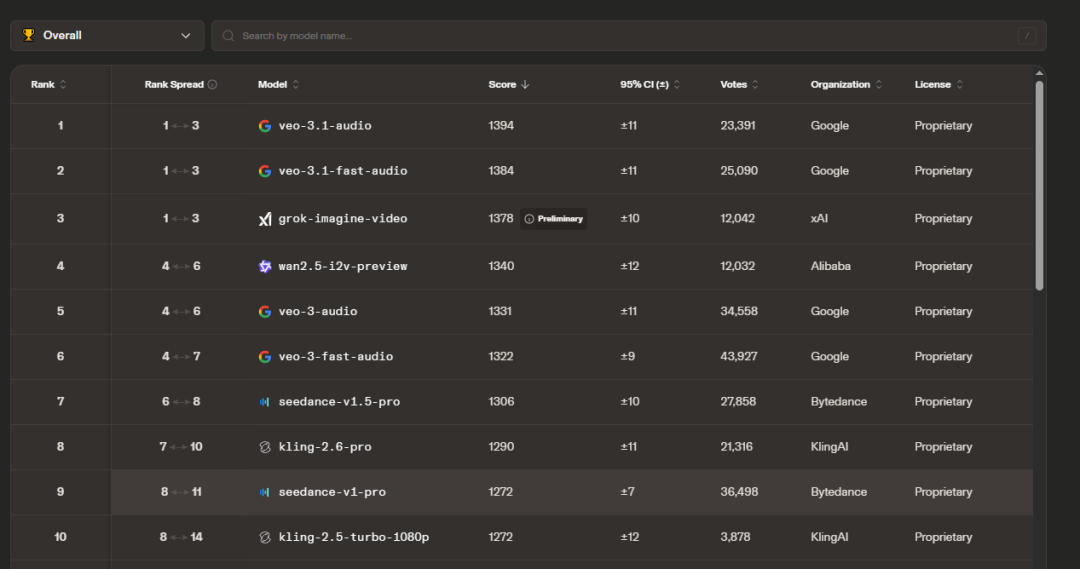
今天青哲就手把手教大家怎么用这个工具,真的不难,同学们可以试试看。
END
第一步,注册登录lmarena
具体怎么操作呢,我来详细说说:
打开谷歌浏览器,输入lmarena官网地址(评论666我发你)
进入首页后,右上角找到“Sign Up”或”注册”按钮
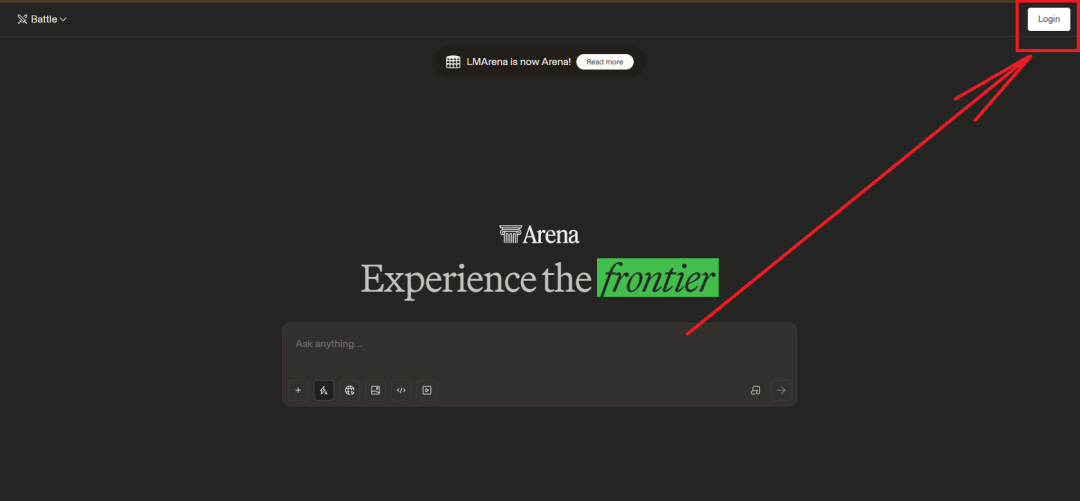
点击注册,可以选择邮箱注册或者Google账号直接登录

如果用邮箱注册,填写邮箱地址和密码

去邮箱查收验证邮件,点击链接激活账号

激活后返回lmarena,用刚才的账号密码登录
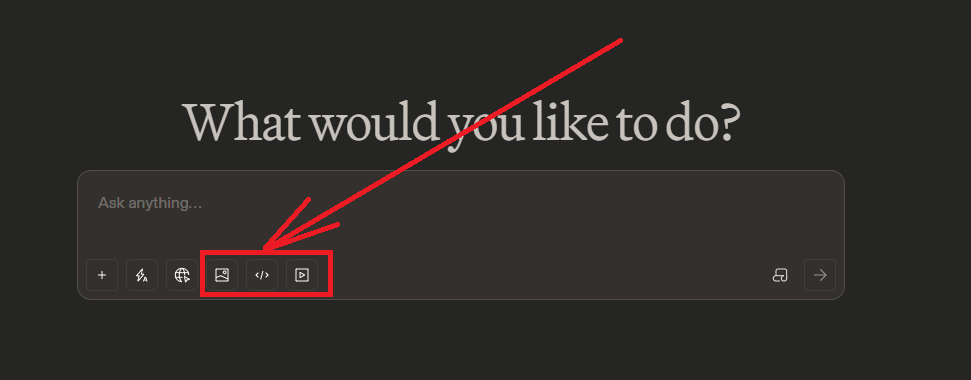
登录成功后,你会看到主界面,有“Image“(图片)和“Video”(视频)两个大按钮
END
第二步,设置并排对比模式生成分镜
这一步是核心,同学们一定要看仔细了:
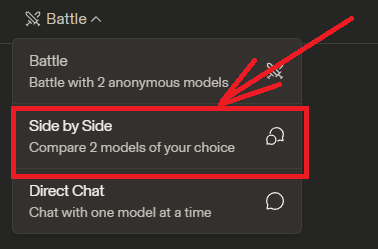
点击顶部的“Battle按钮

进入后,你会看到页面中间有两个模式选择:
“Battle”(对战模式)
“Side-by-Side”(并排对比模式)
重点! 选择”Side-by-Side”并排对比模式
选好后,页面会出现两个模型选择框
在左边的模型选择框,点击下拉菜单
往下滑,找到”Nano Banana Pro”,点击选中
在右边的模型选择框,同样选择”Nano Banana Pro”
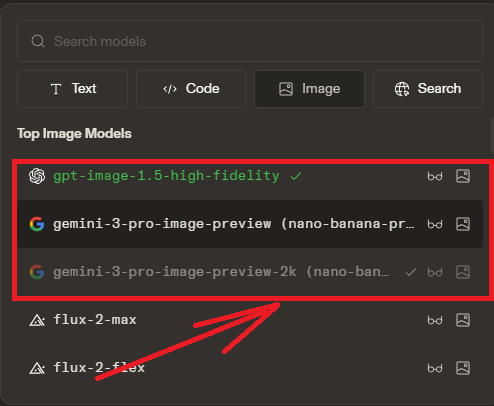
这样两边都是同一个模型,方便你无限抽卡对比
END
第三步,输入提示词生成分镜
接下来就是生成环节:
在页面下方,你会看到一个大的文本输入框
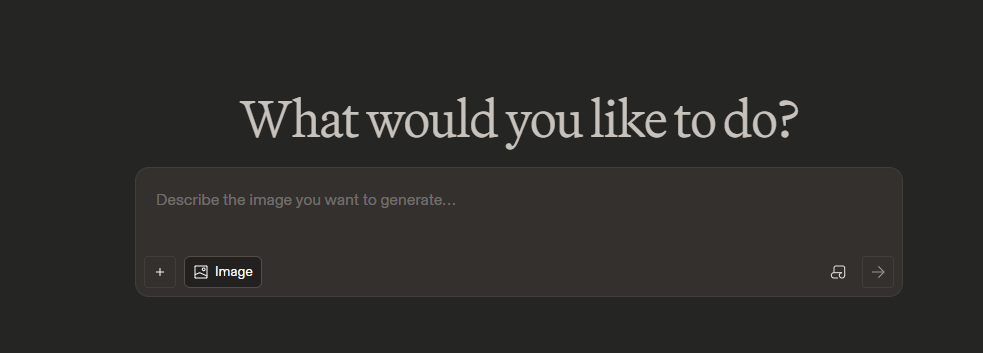
在这个框里输入你的提示词(我下面会给详细模板)
检查一遍提示词有没有错别字
点击输入框下方的”Generate”(生成)按钮
等待10-30秒,两边会同时生成两张图片
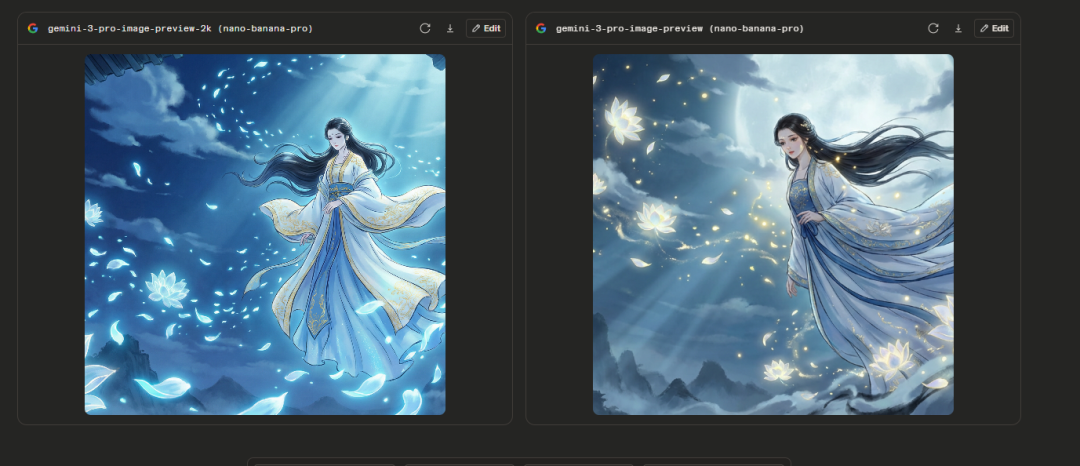
不满意? 直接点击“Regenerate”(重新生成)按钮
继续抽卡,直到你满意为止
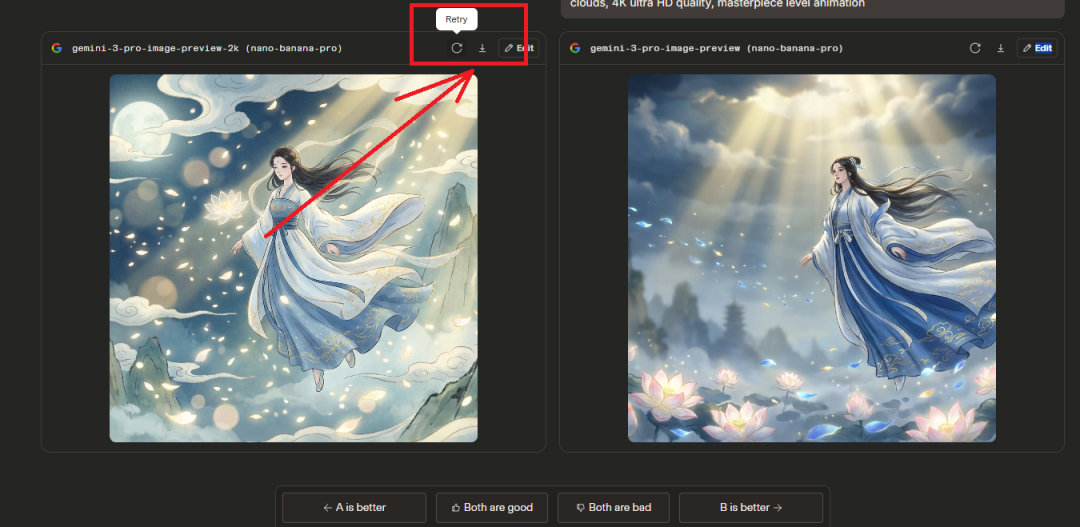
记住! 不要点中间的对比按钮,会跳验证很烦
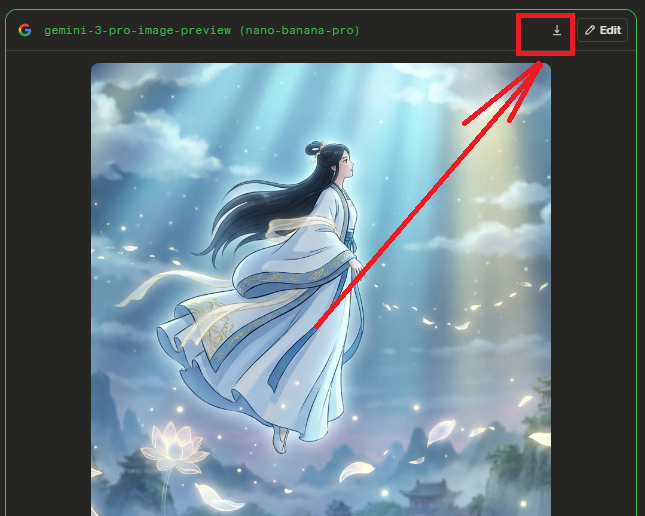
满意后,把鼠标移到图片上,右上角会出现下载图标
点击下载,无水印高清图直接保存到你电脑
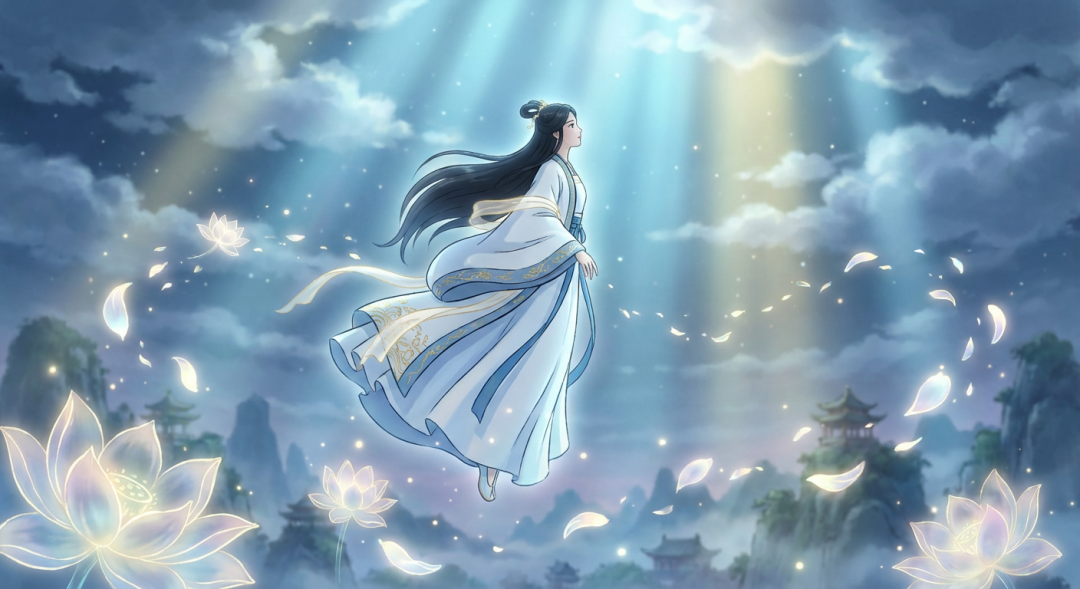
史诗级动画风格提示词详细模板:
模板1:古风仙侠场景
A breathtaking epic fantasy animation scene, a beautiful ancient Chinese immortal fairy floating in the sky surrounded by glowing lotus flowers, wearing flowing white and blue hanfu with golden embroidery, long black hair dancing in the wind, cinematic lighting with soft moonlight and magical glow, ultra-detailed character design with delicate facial features, thousands of luminous petals swirling around, depth of field with dreamy bokeh effect, studio ghibli meets Chinese ink painting art style, vibrant color palette with blue, white and gold tones, dramatic upward camera angle, volumetric god rays piercing through clouds, 4K ultra HD quality, masterpiece level animation
模板2:魔法战斗场景
A breathtaking epic fantasy animation scene, powerful mage casting ultimate spell with massive magic circle glowing beneath feet, explosive energy beams shooting from hands, wearing dark purple robe with glowing runes, dramatic battle pose, cinematic lighting with intense contrast between light and shadow, ultra-detailed character design with flowing cape and mystical staff, magical particles and lightning bolts filling the air, depth of field focusing on character, anime meets western fantasy art style, vibrant color palette with purple, blue and electric white, low angle hero shot, particle effects explosion with motion blur, 4K ultra HD quality, award-winning animation
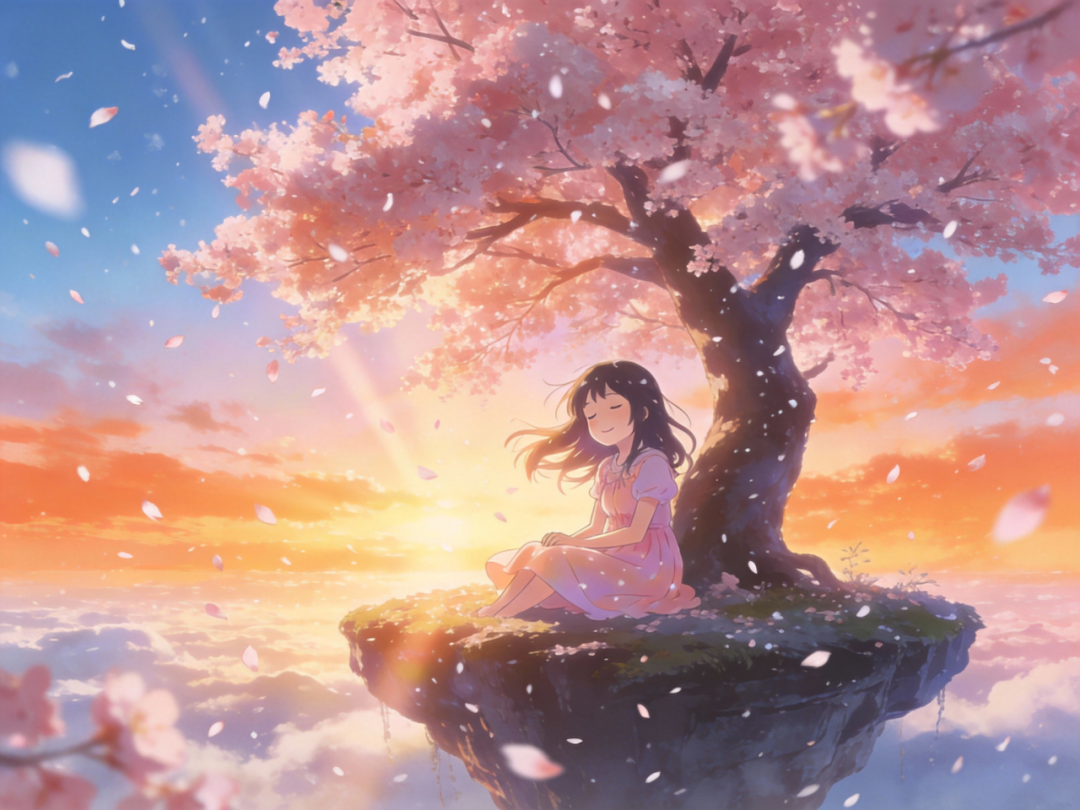
模板3:唯美治愈场景
A breathtaking epic fantasy animation scene, young girl sitting under giant cherry blossom tree on floating island in the sky, gentle smile with eyes closed, wearing pastel pink dress, warm sunset golden hour lighting, ultra-detailed character design with soft features and flowing hair, cherry blossom petals slowly falling like snow, depth of field with soft bokeh, makoto shinkai inspired art style, dreamy color palette with pink, orange and soft blue, peaceful composition, volumetric lighting with sun rays, healing atmosphere, 4K ultra HD quality, masterpiece level animation
END
第四步,用参考图生图实现人物一致性
这是做连续分镜的关键技巧:
从刚才生成的图片中,选一张你最满意的,把鼠标移到这张图片上,图片上方方会出现1个小图标,找到”笔”形状的图标(Edit/编辑),
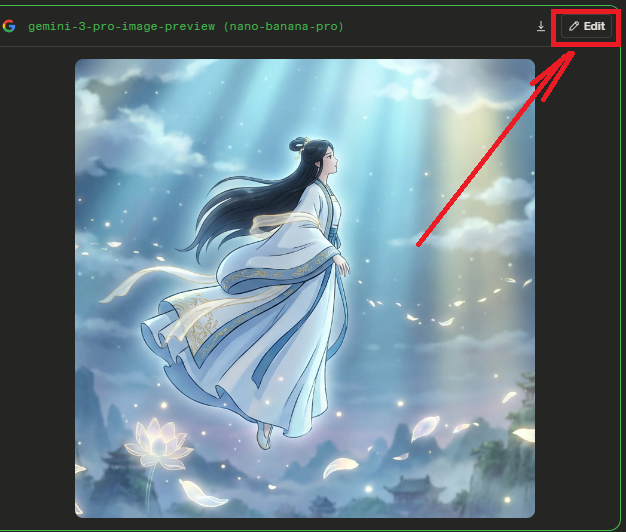
点击它页面会跳转到新的界面,你会看到你选的图片出现在参考图区域,在下方的提示词框里,输入新的场景描述
重点! 要在提示词开头加上”Based on the reference image, maintain character consistency”(基于参考图,保持角色一致性)
然后描述这个角色的下一个动作或场景
参考图生图详细提示词模板:
场景1到场景2(动作衔接):
Based on the reference image, maintain character consistency and facial features, create the next scene where the character is performing a powerful sword strike with glowing blade, epic visual effects with energy waves radiating outward, particle effects explosion with sparks and light trails, dramatic low camera angle looking up, motion blur on the sword for dynamic movement, volumetric lighting with god rays, intense color grading with warm and cool contrast, cinematic action sequence, wind blowing hair and clothes, 4K ultra HD, award-winning animation quality
场景转换(环境变化):
Based on the reference image, maintain exact same character appearance and clothing, now place the character in a different environment – standing on a cliff edge overlooking a vast fantasy city at night, same facial features and hairstyle, city lights twinkling below, starry sky above, cinematic lighting with moonlight highlighting the character, depth of field with bokeh on distant lights, epic scale composition, atmospheric perspective, vibrant color palette with blue and gold, 4K ultra HD quality, masterpiece animation
输入完提示词后,点击”Generate”生成
不满意继续点”Regenerate”抽卡
这样生成的图片会保持人物一致性
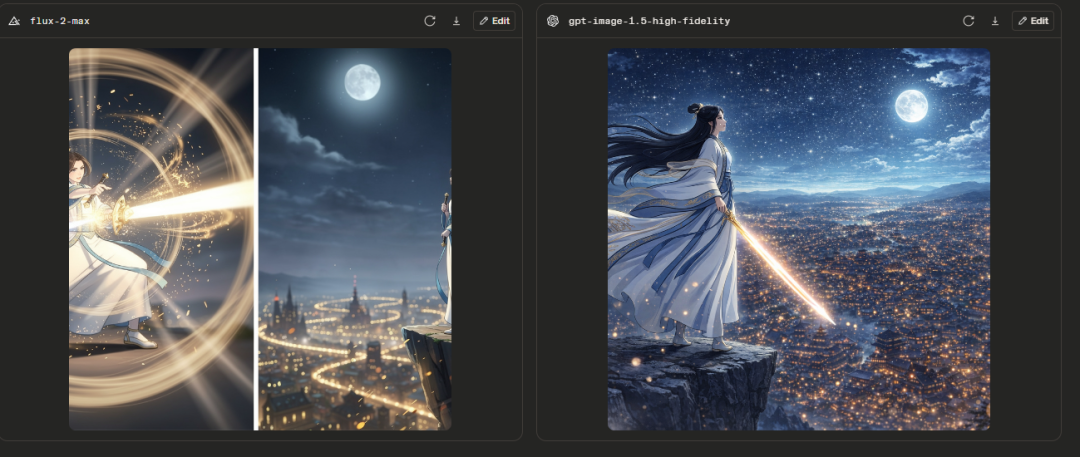
用同样的方法,一个接一个做完所有分镜
每次都用上一张满意的图作为参考
END
第五步,用Sora2和Voe3.1生成视频
分镜做好了,接下来生成视频:
回到lmarena主页,点击的“Video”(视频)按钮
进入视频生成界面
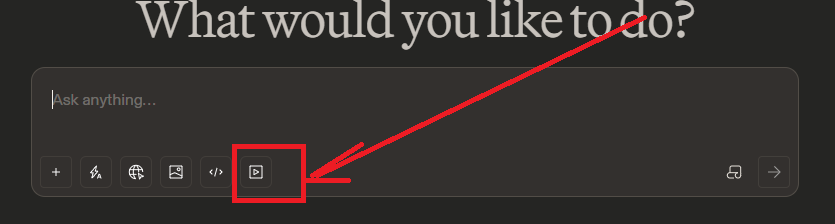
你会看到一个提示词输入框,在输入框里输入视频描述提示词(下面有模板)
或者点击“Upload Image”上传你的分镜图作为参考
如果上传了参考图,提示词要写“Based on this image, create a video where…”
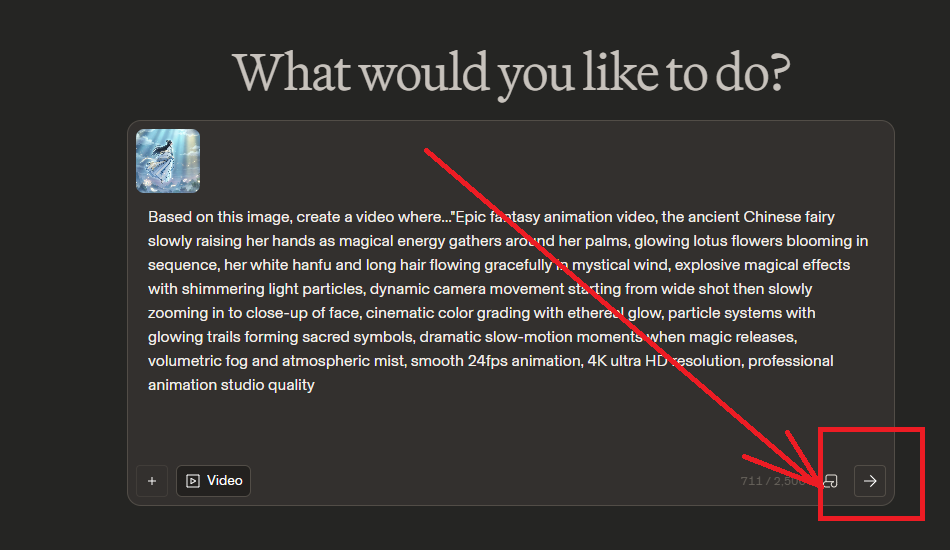
输入完成后,点击”Generate”生成按钮,系统会随机分配Sora2或Voe3.1模型,等待1-3分钟,视频就生成好了

生成的视频是4K超清的,点击下载按钮保存视频
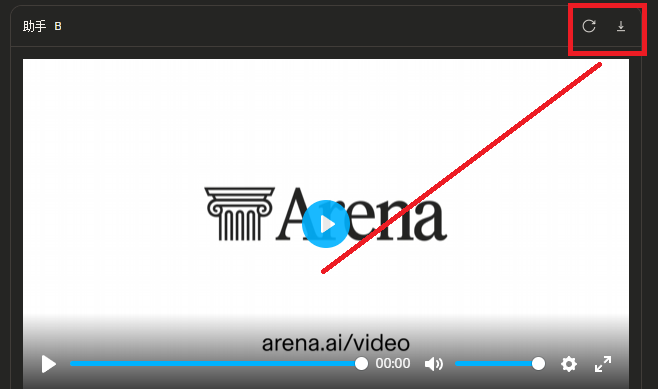
视频生成详细提示词模板:
模板1:角色动作视频
Epic fantasy animation video, the ancient Chinese fairy slowly raising her hands as magical energy gathers around her palms, glowing lotus flowers blooming in sequence, her white hanfu and long hair flowing gracefully in mystical wind, explosive magical effects with shimmering light particles, dynamic camera movement starting from wide shot then slowly zooming in to close-up of face, cinematic color grading with ethereal glow, particle systems with glowing trails forming sacred symbols, dramatic slow-motion moments when magic releases, volumetric fog and atmospheric mist, smooth 24fps animation, 4K ultra HD resolution, professional animation studio quality
模板2:场景转换视频
Epic fantasy animation video, camera flying through a magical forest with glowing mushrooms and fireflies, transitioning from day to night, trees with bioluminescent leaves, mystical creatures peeking from behind trees, dynamic camera movement with smooth aerial tracking shot, cinematic color grading shifting from warm sunset to cool moonlight, particle effects with floating light orbs, depth of field with bokeh on background elements, atmospheric fog rolling through, 30 seconds duration, 4K ultra HD resolution, award-winning cinematography
模板3:战斗场景视频
Epic fantasy animation video, intense magic battle between two powerful sorcerers, energy beams clashing in mid-air creating massive explosion, lightning and fire elements mixing, dynamic camera movement circling around the action, dramatic slow-motion when spells collide, explosive particle effects with debris and energy shards flying, motion blur on fast movements, cinematic color grading with high contrast, volumetric smoke and dust, ground cracking with glowing fissures, 4K ultra HD resolution, blockbuster movie quality animation
END
第六步,处理视频末尾广告
生成的视频最后会有小广告,处理很简单:
下载生成的视频到电脑
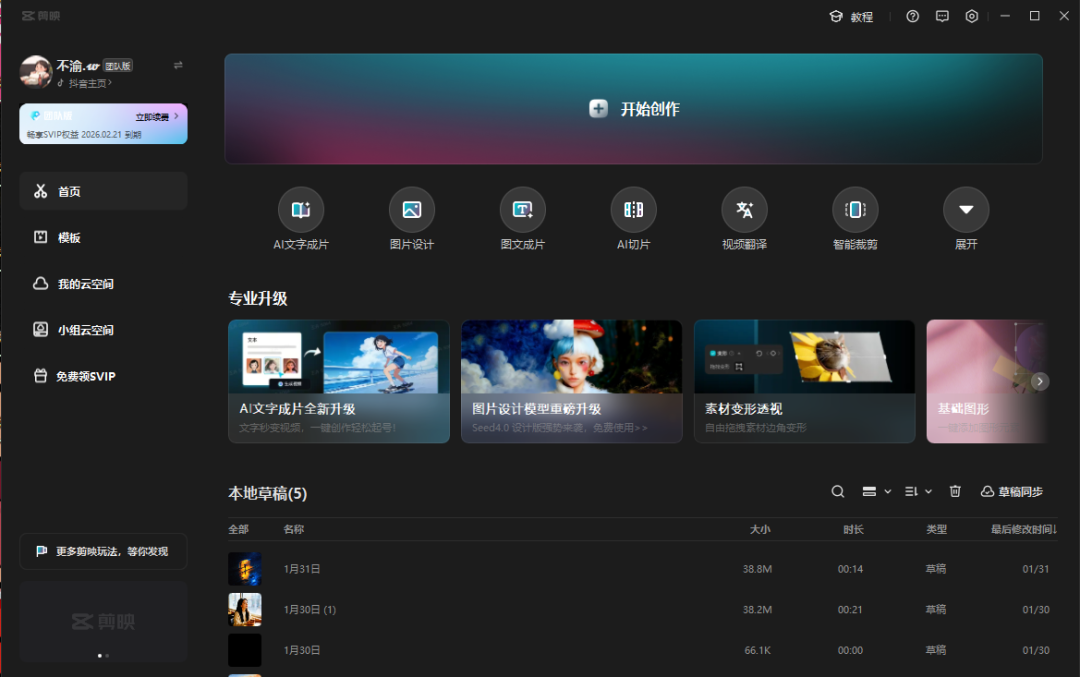
打开剪映(没有的话去应用商店下载,免费的)点击”开始创作”
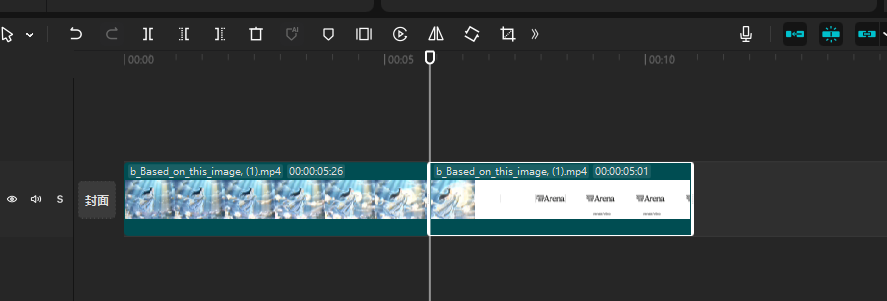
把视频拖进时间轴,拖动时间轴上的播放指针,找到广告开始的位置,点击”分割”按钮,
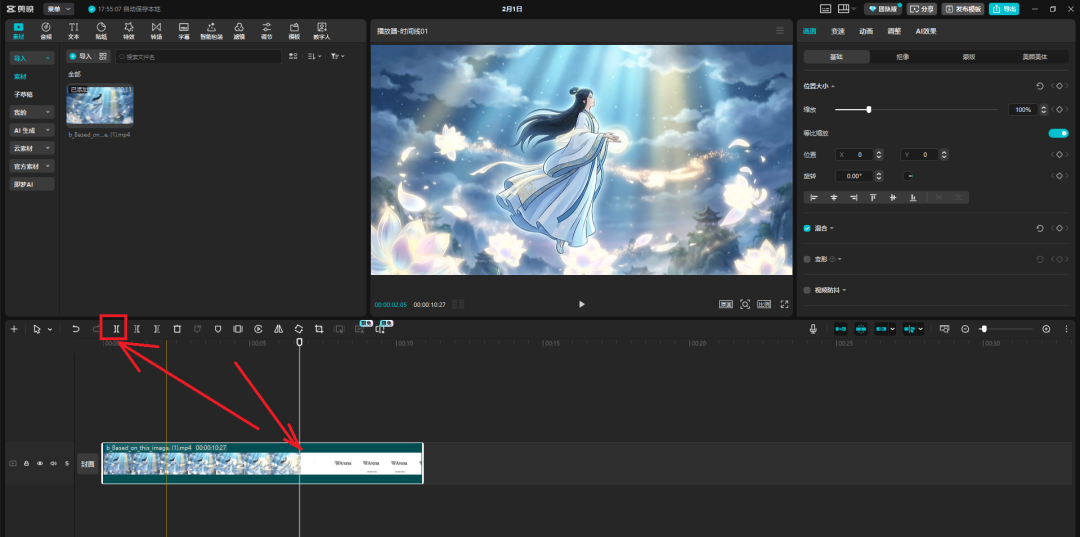
把广告部分切开,选中广告那一段,点击”删除”
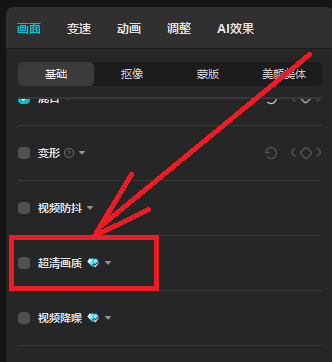
如果视频不够清晰,点击视频轨道,在右侧找到”画质增强”功能,选择”高清”或”超清”选项
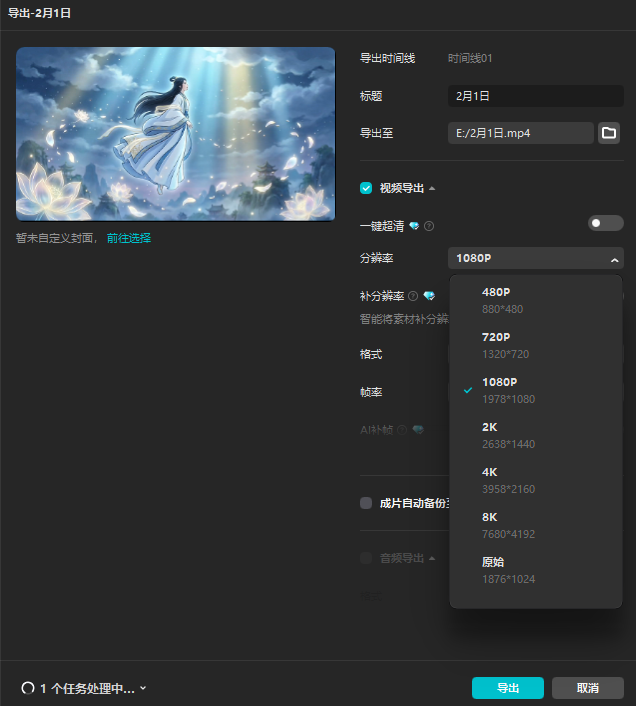
等待处理完成,点击右上角”导出”,选择1080P或4K
导出完成,完美无广告的高清视频就做好了